Thread Rating:
  • 0 Vote(s) - 0 Average
  • 1
  • 2
  • 3
  • 4
  • 5
BAM Draw
#1
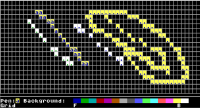
Although I've got some small things left to do along with some code cleanup, this ASCII drawing program seems to be working A-1.

For details: https://basicanywheremachine-news.blogsp...-draw.html

   
Reply
#2
Do you have a way to save these Masterpieces?
  724  855  599  923  575  468  400  206  147  564  878  823  652  556 bxor cross forever
Reply
#3
(11-06-2023, 02:26 PM)bplus Wrote: Do you have a way to save these Masterpieces?

A drawing is saved to browser local storage.  So the next time you open BAM Draw, it will offer the choice of either a New drawing or to Continue the previous drawing.

At some point, I'm going to setup an export as DATA statements to a text file.

To save an image before creating a new one, right-click the console window (best place: somewhere in the footer menu that is blank, i.e. does not have anything to left-click on), to access your browser's context menu, and click on "Save As" to save the drawing as a PNG image.

At the moment, BAM handles only one drawing at a time.  Eventually, I'd like to set it up for multiple named drawings.
Reply
#4
A tropical paradise...   


[Image: image.png]


 (I noticed the program can lose focus after a pop-up window, but exiting and coming back works okay).
Reply
#5
Thumbs Up 
Well now thanks to Jarvis showpiece, I now see great sense in using Ansii charaters with 2 color system.

Nice drawing James!
  724  855  599  923  575  468  400  206  147  564  878  823  652  556 bxor cross forever
Reply
#6
(11-07-2023, 03:22 PM)James D Jarvis Wrote: A tropical paradise...   


[Image: image.png]


 (I noticed the program can lose focus after a pop-up window, but exiting and coming back works okay).

Hey, that is quite a pretty drawing.

Loss of keyboard focus after a pop-up?  Thanks for reporting!  I must see if there is a way to return keyboard focus back to the window.
Reply
#7
(11-07-2023, 03:22 PM)James D Jarvis Wrote: A tropical paradise...   


[Image: image.png]


 (I noticed the program can lose focus after a pop-up window, but exiting and coming back works okay).

Pop-up window from where?
Reply
#8
[Image: image.png]
Following clicking on the foreground symbol. It did not freeze up in this instance.
Reply
#9
(11-07-2023, 09:28 PM)James D Jarvis Wrote: [Image: image.png]
Following clicking on the foreground symbol. It did not freeze up in this instance.

I can't duplicate the problem.  I wonder if it is device / OS specific?
Reply
#10
I'm running windows and using their latest browser. I actually haven't gotten the freeze up again. I'll let you know if I see it again in the BAM program or another.

Reply


Possibly Related Threads…
Thread Author Replies Views Last Post
  A digital clock using DRAW statements CharlieJV 0 428 07-03-2025, 03:44 AM
Last Post: CharlieJV
  QBJS - ANSI Draw dbox 5 4,934 01-27-2025, 07:12 PM
Last Post: hsiangch_ong
  DRAW to generate the points for regular polygons CharlieJV 0 564 01-07-2025, 07:15 PM
Last Post: CharlieJV
  BAM: New version CharlieJV 0 482 06-29-2023, 02:22 AM
Last Post: CharlieJV
  BAM App Personalizer (a GUI to personalize BAM programs) CharlieJV 0 473 01-06-2023, 03:48 AM
Last Post: CharlieJV

Forum Jump:


Users browsing this thread: 1 Guest(s)